Guided Software Selection
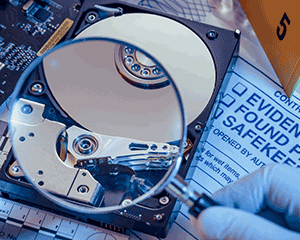
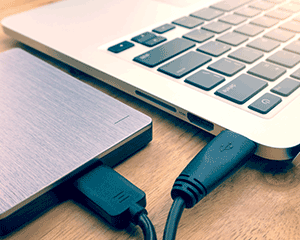
Selecting the right software for digital investigations depends primarily on the type of investigations performed by your organization. The right choice sometimes also depends on prior experience your team members may have with forensic software tools. To help guide you in selecting the appropriate software (and corresponding hardware) for your organization we have created several solution portfolios. Click one of the following porfolios to learn more.



I Know What I Need
For customers who are already familiar with forensic software offerings, the following links will take you directly to the software we offer from each of our software partners.






Tested and Configured for Optimal Software Performance
Understanding how computer system components interact with today's modern software is something that we take seriously. Rigorous software testing by varying system processor cores, RAM, storage, and other key components is a time consuming labor of love. Digital Intelligence makes these investments for one reason: to improve your software user experience by optimizing the underlying system configuration.
Connect with us to learn more about our software testing methods and results.
Jumpstart the Software Learning Curve with Digital Intelligence Training
Acquiring tools is step one. Using them effectively while sifting through complex regulatory challenges often requires a step learning curve. Let Digital Intelligence help. We offer technology, product, and process training to build the skills need to work efficiently in a changing digital landscape.
We define and conduct training based on your experience, knowledge level, and professional goals. At our training location or yours. learn more
Enhance Your In-House Capabilities with Digital Intelligence Forensic Services
Looking for an alternative to the traditional "buy, learn, and use" model of software ownership? Digital Intelligence Forensic Services offers price competitive options. Our skilled, certified, and in-house services staff have decades of digital forensic and eDiscovery case work experience. Contact us to learn more about our capabilities, creative service options, and collaborative approach to working for you. learn more
Technical Support You Can Count On
When you purchase from Digital Intelligence, you’re getting the best forensic products money can buy. But the value doesn’t stop there. You get lifetime technical support and access to a professional, dedicated support team. We measure our success not just by the number of systems we sell but also by the level of support we provide. Whether it’s a question about your FRED, UltraBlock, Imager or software – or a question about a forensic problem you face – we have your back. Call, email, or text. We are here for you.


Toll Free: (866) DIGINTEL / (866) 344-4683
Phone: (262) 782-3332 Fax: (262) 782-3331
Services: (414) 404-8800